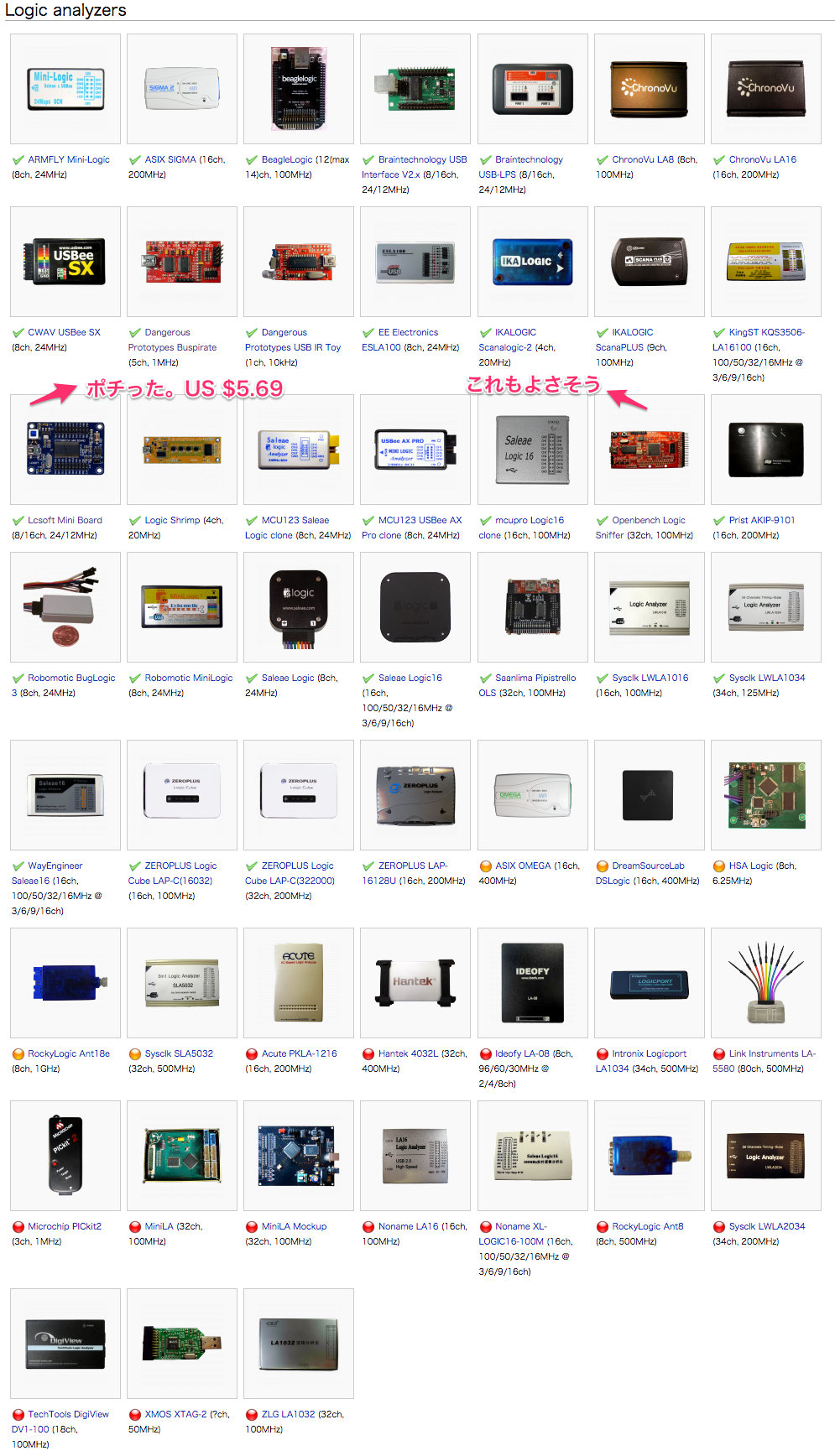
ESP8266で E-ink を表示させるために、信号解析用のロジックアナライザーが必要になりそうなので、安いものを探しました。
以前、Logic Pirate (とLogic Snifferで動作)というのを知りましたが、
Logic Pirate というオープンソースのロジックアナライザ
ハードが4500円(30ドル+送料)ほどで、もう少し安いのはないかと調査すると、ありました。世の中は本当に広いものです。
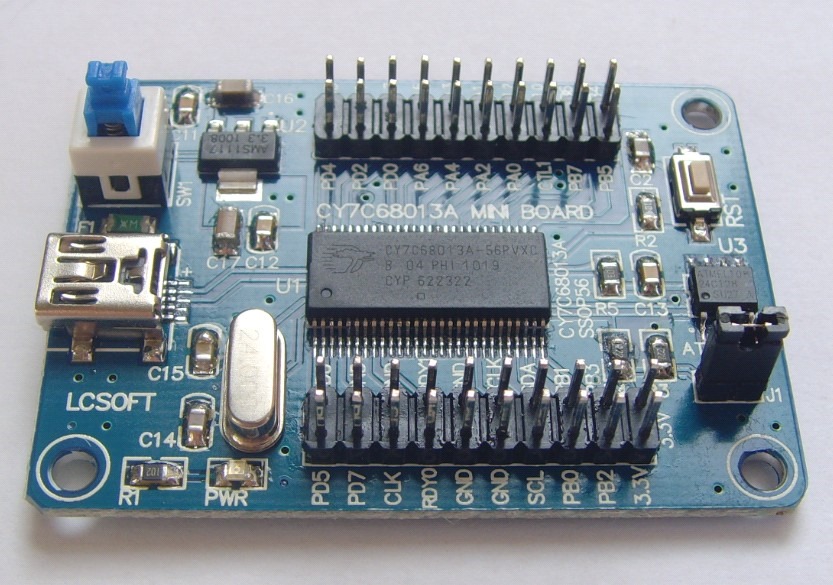
EZ-USB FX2LP CY7C68013A USB Development Board Core Board Logic Analyzer
これはaliexpress で1000円以下で売っています。ソフトウェアは、sigrok というオープンソースがあります。ということで、ポチっておきました。年末に来るといいな。
追記:EZ-USB FX2LPでアリエクを検索すると、たくさんでてきます。2021年2月時点で、537 円になっていました。
追記:とても良い映像コンテンツがあったので貼っておきます。@OpenTechLabChan さんのチャンネルです。
VIDEO
http://sigrok.org/wiki/Main_Page
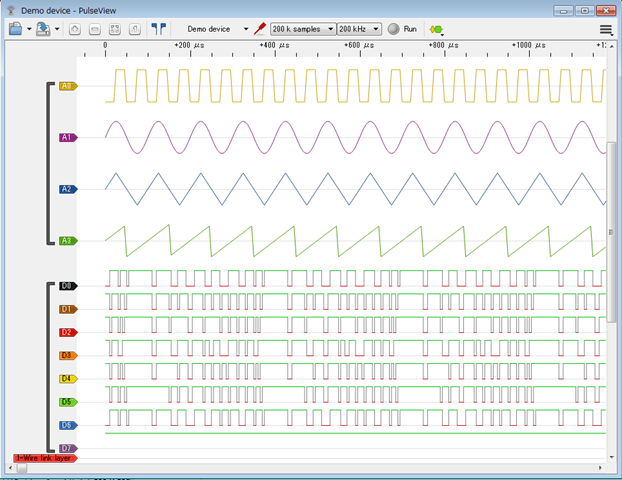
Windows はバイナリがあり、osx は brew で入れるようで、試してみましたが、インストールに失敗するようで、そのメモです。windows バイナリ版は起動し、以下のようにデモ信号を見れます。最初の一台としては十分な機能のような気がします。
sigrok を osx で動作させるため、以下を参考。
http://sigrok.org/wiki/Mac_OS_X
以下の流れですが、★でこけます。
1) $ brew tap rene-dev/sigrok
2) $ brew install python3
8) $ brew install sigrok-cli
ファームウェアは、以下のようです。
・fx2lafw open-source firmware http://sigrok.org/wiki/Fx2lafw
以下、こける部分です。
1) ------------------------------------------------------
HOPE:~ junkhack$ brew tap rene-dev/sigrok
==> Tapping rene-dev/sigrok
Cloning into '/usr/local/Library/Taps/rene-dev/homebrew-sigrok'...
remote: Counting objects: 8, done.
remote: Compressing objects: 100% (8/8), done.
remote: Total 8 (delta 4), reused 2 (delta 0), pack-reused 0
Unpacking objects: 100% (8/8), done.
Checking connectivity... done.
Tapped 6 formulae (35 files, 144K)
HOPE:~ junkhack$

・何か入れてからじゃないとだめな感じ。
8) ------------------------------------------------------
HOPE:~ junkhack$ brew install sigrok-cli
Error: Formulae found in multiple taps:
 * homebrew/science/sigrok-cli
 * rene-dev/sigrok/sigrok-cli

Please use the fully-qualified name e.g. homebrew/science/sigrok-cli to refer the formula.
HOPE:~ junkhack$

・python3 はもう入ってた
2) ------------------------------------------------------
HOPE:~ junkhack$ brew install python3
Warning: python3-3.4.3_2 already installed
HOPE:~ junkhack$

・libserialport は入る
3) ------------------------------------------------------
HOPE:~ junkhack$ brew install --HEAD libserialport
==> Installing libserialport from rene-dev/homebrew-sigrok
==> Cloning git://sigrok.org/libserialport
Cloning into '/Library/Caches/Homebrew/libserialport--git'...
remote: Counting objects: 1036, done.
remote: Compressing objects: 100% (870/870), done.
remote: Total 1036 (delta 703), reused 249 (delta 165)
Receiving objects: 100% (1036/1036), 245.95 KiB | 81.00 KiB/s, done.
Resolving deltas: 100% (703/703), done.
Checking connectivity... done.
==> Checking out branch master
==> ./autogen.sh
==> ./configure --prefix=/usr/local/Cellar/libserialport/HEAD
==> make install
  /usr/local/Cellar/libserialport/HEAD: 9 files, 220K, built in 26 seconds
HOPE:~ junkhack$

・ここがこける
4) ------------------------------------------------------
HOPE:~ junkhack$ brew install --HEAD --with-libserialport libsigrok
==> Installing libsigrok from rene-dev/homebrew-sigrok
==> Installing dependencies for rene-dev/sigrok/libsigrok: libzip, libusb, libsigc++, glibmm, doxygen, autoconf-archive
==> Installing rene-dev/sigrok/libsigrok dependency: libzip
==> Downloading https://homebrew.bintray.com/bottles/libzip-0.11.2.mavericks.bottle.2.tar.gz
######################################################################## 100.0%
==> Pouring libzip-0.11.2.mavericks.bottle.2.tar.gz
  /usr/local/Cellar/libzip/0.11.2: 81 files, 536K
==> Installing rene-dev/sigrok/libsigrok dependency: libusb
==> Downloading https://homebrew.bintray.com/bottles/libusb-1.0.19.mavericks.bottle.1.tar.gz
######################################################################## 100.0%
==> Pouring libusb-1.0.19.mavericks.bottle.1.tar.gz
  /usr/local/Cellar/libusb/1.0.19: 11 files, 368K
==> Installing rene-dev/sigrok/libsigrok dependency: libsigc++
==> Downloading https://homebrew.bintray.com/bottles/libsigc++-2.4.1.mavericks.bottle.tar.gz
######################################################################## 100.0%
==> Pouring libsigc++-2.4.1.mavericks.bottle.tar.gz
  /usr/local/Cellar/libsigc++/2.4.1: 679 files, 14M
==> Installing rene-dev/sigrok/libsigrok dependency: glibmm
==> Downloading https://homebrew.bintray.com/bottles/glibmm-2.44.0.mavericks.bottle.tar.gz
######################################################################## 100.0%
==> Pouring glibmm-2.44.0.mavericks.bottle.tar.gz
  /usr/local/Cellar/glibmm/2.44.0: 1626 files, 42M
==> Installing rene-dev/sigrok/libsigrok dependency: doxygen
==> Downloading https://homebrew.bintray.com/bottles/doxygen-1.8.10.mavericks.bottle.tar.gz
######################################################################## 100.0%
==> Pouring doxygen-1.8.10.mavericks.bottle.tar.gz
  /usr/local/Cellar/doxygen/1.8.10: 8 files, 14M
==> Installing rene-dev/sigrok/libsigrok dependency: autoconf-archive
==> Downloading https://homebrew.bintray.com/bottles/autoconf-archive-2015.02.24.mavericks.bottle.tar.gz
######################################################################## 100.0%
==> Pouring autoconf-archive-2015.02.24.mavericks.bottle.tar.gz
  /usr/local/Cellar/autoconf-archive/2015.02.24: 558 files, 4.3M
==> Installing rene-dev/sigrok/libsigrok
==> Cloning git://sigrok.org/libsigrok
Cloning into '/Library/Caches/Homebrew/libsigrok--git'...
remote: Counting objects: 27468, done.
remote: Compressing objects: 100% (13210/13210), done.
remote: Total 27468 (delta 19195), reused 20128 (delta 13736)
Receiving objects: 100% (27468/27468), 5.74 MiB | 274.00 KiB/s, done.
Resolving deltas: 100% (19195/19195), done.
Checking connectivity... done.
==> Checking out branch master
==> ./autogen.sh
==> ./configure --prefix=/usr/local/Cellar/libsigrok/HEAD
==> make install
    src/hardware/sysclk-lwla/.libs/api.o
ld: 8 duplicate symbols for architecture x86_64
clang: error: linker command failed with exit code 1 (use -v to see invocation)
make: *** [libsigrok.la] Error 1
make: *** Waiting for unfinished jobs....
/usr/local/Library/Homebrew/build.rb:178:in `dump': can't dump anonymous class #<Class:0x007f8c0b2253c8> (TypeError)
    from /usr/local/Library/Homebrew/build.rb:178:in `rescue in <main>'
    from /usr/local/Library/Homebrew/build.rb:167:in `<main>'
Error: marshal data too short
Please report this bug:
    https://git.io/brew-troubleshooting
/usr/local/Library/Homebrew/utils/fork.rb:39:in `load'
/usr/local/Library/Homebrew/utils/fork.rb:39:in `block (3 levels) in safe_fork'
/usr/local/Library/Homebrew/utils.rb:346:in `ignore_interrupts'
/usr/local/Library/Homebrew/utils/fork.rb:26:in `block (2 levels) in safe_fork'
/usr/local/Library/Homebrew/utils/fork.rb:7:in `open'
/usr/local/Library/Homebrew/utils/fork.rb:7:in `block in safe_fork'
/System/Library/Frameworks/Ruby.framework/Versions/2.0/usr/lib/ruby/2.0.0/tmpdir.rb:88:in `mktmpdir'
/usr/local/Library/Homebrew/utils/fork.rb:6:in `safe_fork'
/usr/local/Library/Homebrew/formula_installer.rb:542:in `build'
/usr/local/Library/Homebrew/formula_installer.rb:202:in `install'
/usr/local/Library/Homebrew/cmd/install.rb:189:in `install_formula'
/usr/local/Library/Homebrew/cmd/install.rb:94:in `block in install'
/usr/local/Library/Homebrew/cmd/install.rb:94:in `each'
/usr/local/Library/Homebrew/cmd/install.rb:94:in `install'
/usr/local/Library/brew.rb:133:in `<main>'
HOPE:~ junkhack$

・進めるが、Error
5) ------------------------------------------------------
HOPE:~ junkhack$ brew install --HEAD libsigrokdecode
Error: Formulae found in multiple taps:
 * homebrew/science/libsigrokdecode
 * rene-dev/sigrok/libsigrokdecode

Please use the fully-qualified name e.g. homebrew/science/libsigrokdecode to refer the formula.
HOPE:~ junkhack$

・進めるが、Error
6) ------------------------------------------------------
HOPE:~ junkhack$ brew install --HEAD --with-libserialport sigrok-cli
Error: Formulae found in multiple taps:
 * homebrew/science/sigrok-cli
 * rene-dev/sigrok/sigrok-cli

Please use the fully-qualified name e.g. homebrew/science/sigrok-cli to refer the formula.
HOPE:~ junkhack$

・進めるが、Error
7) ------------------------------------------------------
HOPE:~ junkhack$ brew install --HEAD pulseview
Error: Formulae found in multiple taps:
 * homebrew/science/pulseview
 * rene-dev/sigrok/pulseview

Please use the fully-qualified name e.g. homebrew/science/pulseview to refer the formula.
HOPE:~ junkhack$

・進めるが、Error
8) ------------------------------------------------------
HOPE:~ junkhack$ brew install sigrok-cli
Error: Formulae found in multiple taps:
 * homebrew/science/sigrok-cli
 * rene-dev/sigrok/sigrok-cli

Please use the fully-qualified name e.g. homebrew/science/sigrok-cli to refer the formula.
HOPE:~ junkhack$
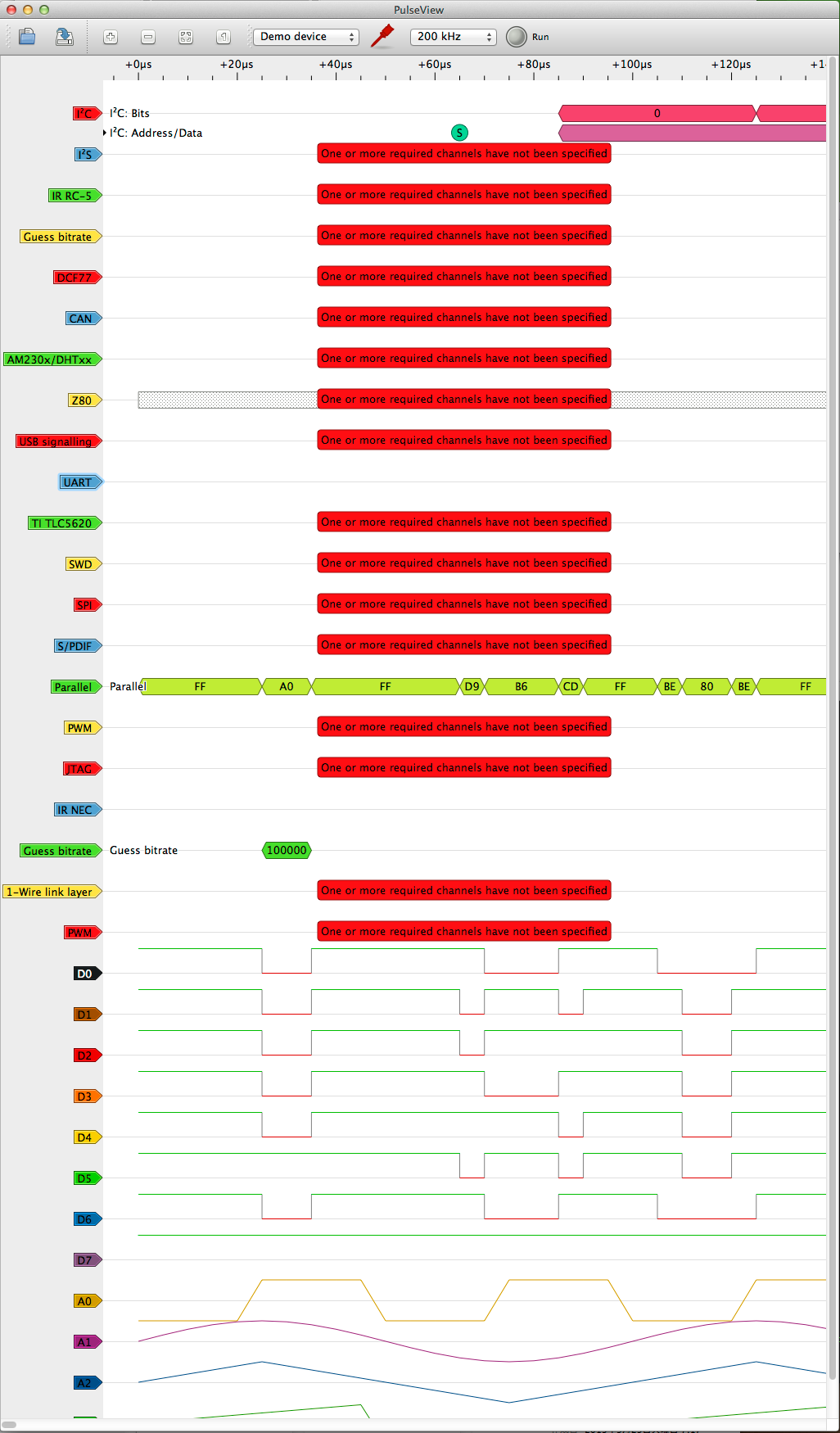
Building manually の手順でやればいいのかもですが、osx のバイナリもだれか作っているはずで、探したらありました。また実機が着たらゆっくり料理することにし、今はソフトウェアの動作だけ確認しておきます。
ドラッグでタイムラインの移動、マウスホイールで信号の拡大縮小できるインターフェイスです。各種信号解析も可能なようです。デジタルは8チャンネル入るようですので、これで十分用は足せそうです。DHT の温度センサーのデータ解析もあるようです。自分にはこれで十分だと思います。
Open Workbench Logic Sniffer というのも、良さそうです。
http://sigrok.org/wiki/Supported_hardware
その後、マニュアルビルドを試すも、libsigrok のmake で失敗。以下次回再開するときのメモ。
・Building manually
http://sigrok.org/wiki/Mac_OS_X

★Install MacPorts,
★Install Qt, download qt-mac-opensource-4.7.4.dmg
★以下必須

$ sudo port install boost libusb libzip libftdi0
$ sudo port install autoconf automake cmake glib2 python33 libtool pkgconfig
$ export PKG_CONFIG_PATH=/usr/local/lib/pkgconfig/

---------------------
libserialport --> OK
libsigrok --> NG
libsigrokdecode --> OK
sigrok-cli --> NG (libsigrok必須)
PulseView --> NG (libsigrokcxx>=0.4.0 必須)
---------------------

▼libserialport
$ git clone git://sigrok.org/libserialport
$ cd libserialport
$ ./autogen.sh
$ ./configure
$ make
$ sudo make install

★OK

    HOPE:libserialport junkhack$ make
    /Applications/Xcode.app/Contents/Developer/usr/bin/make  all-am
      CC       serialport.lo
      CC       macosx.lo
      CCLD     libserialport.la
    HOPE:libserialport junkhack$
    HOPE:libserialport junkhack$ sudo make install
    Password:
     /usr/local/bin/gmkdir -p '/usr/local/lib'
     /bin/sh ./libtool --silent  --mode=install /usr/local/bin/ginstall -c   libserialport.la '/usr/local/lib'
     /usr/local/bin/gmkdir -p '/usr/local/include'
     /usr/local/bin/ginstall -c -m 644 libserialport.h '/usr/local/include'
     /usr/local/bin/gmkdir -p '/usr/local/lib/pkgconfig'
     /usr/local/bin/ginstall -c -m 644 libserialport.pc '/usr/local/lib/pkgconfig'
    HOPE:libserialport junkhack$

▼libsigrok
$ git clone git://sigrok.org/libsigrok
$ cd libsigrok
$ ./autogen.sh
$ ./configure
$ make★こける。これが入らないと進まない。
$ sudo make install

    libsigrok configuration summary:
     - Package version................. 0.4.0-git-17124cf
     - Library ABI version............. 2:0:0
     - Prefix.......................... /usr/local
     - Building on..................... x86_64-apple-darwin13.4.0
     - Building for.................... x86_64-apple-darwin13.4.0

    Compile configuration:
     - C compiler...................... gcc
     - C compiler version.............. Apple LLVM version 6.0 (clang-600.0.57) (based on LLVM 3.5svn)
     - C compiler flags................ -g -O2
     - Additional C compiler flags..... -std=c99 -fvisibility=hidden
     - C compiler warnings............. -Wall -Wextra -Wmissing-prototypes
     - C++ compiler.................... g++
     - C++ compiler version............ Apple LLVM version 6.0 (clang-600.0.57) (based on LLVM 3.5svn)
     - C++ compiler flags.............. -g -O2 -std=c++11
     - C++ compiler warnings........... -Wall -Wextra

    Detected libraries (required):
     - glib-2.0 >= 2.32.0.............. 2.44.1
     - libzip >= 0.10.................. 0.11.2

    Detected libraries (optional):
     - libserialport >= 0.1.1.......... 0.1.1
     - libftdi1 >= 1.0................. no
     - libftdi >= 0.16................. 0.20
     - libusb-1.0 >= 1.0.16............ 1.0.19
     - librevisa >= 0.0.20130412....... no
     - libgpib......................... no
     - libieee1284..................... no
     - check >= 0.9.4.................. no
     - glibmm-2.4 >= 2.32.0............ 2.44.0
     - python = 2.7.................... 2.7
     - pygobject-3.0 >= 3.0.0.......... no

    Enabled hardware drivers:
     - agilent-dmm..................... yes
     - appa-55ii....................... yes
     - asix-sigma...................... yes
     - atten-pps3xxx................... yes
     - baylibre-acme................... no (missing: sys_timerfd_h)
     - beaglelogic..................... yes
     - brymen-bm86x.................... yes
     - brymen-dmm...................... yes
     - cem-dt-885x..................... yes
     - center-3xx...................... yes
     - chronovu-la..................... yes
     - colead-slm...................... yes
     - conrad-digi-35-cpu.............. yes
     - deree-de5000.................... yes
     - demo............................ yes
     - fluke-dmm....................... yes
     - fx2lafw......................... yes
     - gmc-mh-1x-2x.................... yes
     - gwinstek-gds-800................ yes
     - hameg-hmo....................... yes
     - hantek-dso...................... yes
     - hung-chang-dso-2100............. no (missing: libieee1284)
     - ikalogic-scanalogic2............ yes
     - ikalogic-scanaplus.............. yes
     - kecheng-kc-330b................. yes
     - kern-scale...................... yes
     - korad-kaxxxxp................... yes
     - lascar-el-usb................... yes
     - manson-hcs-3xxx................. yes
     - maynuo-m97...................... yes
     - mic-985xx....................... yes
     - motech-lps-30x.................. yes
     - norma-dmm....................... yes
     - openbench-logic-sniffer......... yes
     - pipistrello-ols................. yes
     - rigol-ds........................ yes
     - saleae-logic16.................. yes
     - scpi-pps........................ yes
     - serial-dmm...................... yes
     - sysclk-lwla..................... yes
     - teleinfo........................ yes
     - testo........................... yes
     - tondaj-sl-814................... yes
     - uni-t-dmm....................... yes
     - uni-t-ut32x..................... yes
     - victor-dmm...................... yes
     - yokogawa-dlm.................... yes
     - zeroplus-logic-cube............. yes

    Enabled SCPI backends:
     - TCP............................. yes
     - RPC............................. yes
     - serial.......................... yes
     - VISA............................ no
     - GPIB............................ no
     - USBTMC.......................... yes

    Enabled language bindings:
     - C++............................. yes
     - Python.......................... no (missing: PyGObject, SWIG)
     - Java............................ no (missing: SWIG, JNI headers)


    HOPE:libsigrok junkhack$ make
    /Applications/Xcode.app/Contents/Developer/usr/bin/make  all-am
      CC       src/backend.lo
      CC       src/device.lo

    ::

      CC       src/hardware/zeroplus-logic-cube/api.lo
      CCLD     libsigrok.la
    duplicate symbol _lwla1016_info in:
        src/hardware/sysclk-lwla/.libs/lwla.o
        src/hardware/sysclk-lwla/.libs/lwla1016.o
    duplicate symbol _lwla1034_info in:
        src/hardware/sysclk-lwla/.libs/lwla.o
        src/hardware/sysclk-lwla/.libs/lwla1016.o
    duplicate symbol _lwla1034_info in:
        src/hardware/sysclk-lwla/.libs/lwla.o
        src/hardware/sysclk-lwla/.libs/lwla1034.o
    duplicate symbol _lwla1016_info in:
        src/hardware/sysclk-lwla/.libs/lwla.o
        src/hardware/sysclk-lwla/.libs/lwla1034.o
    duplicate symbol _lwla1016_info in:
        src/hardware/sysclk-lwla/.libs/lwla.o
        src/hardware/sysclk-lwla/.libs/protocol.o
    duplicate symbol _lwla1034_info in:
        src/hardware/sysclk-lwla/.libs/lwla.o
        src/hardware/sysclk-lwla/.libs/protocol.o
    duplicate symbol _lwla1016_info in:
        src/hardware/sysclk-lwla/.libs/lwla.o
        src/hardware/sysclk-lwla/.libs/api.o
    duplicate symbol _lwla1034_info in:
        src/hardware/sysclk-lwla/.libs/lwla.o
        src/hardware/sysclk-lwla/.libs/api.o
    ld: 8 duplicate symbols for architecture x86_64
    clang: error: linker command failed with exit code 1 (use -v to see invocation)
    make[1]: *** [libsigrok.la] Error 1
    make: *** [all] Error 2
    HOPE:libsigrok junkhack$

▼libsigrokdecode
$ git clone git://sigrok.org/libsigrokdecode
$ cd libsigrokdecode
$ ./autogen.sh
$ ./configure
$ make
$ sudo make install

★OK

    1 warning generated.
      CC       decoder.lo
      CC       instance.lo
      CC       log.lo
      CC       util.lo
      CC       exception.lo
      CC       module_sigrokdecode.lo
      CC       type_decoder.lo
      CC       type_logic.lo
      CC       error.lo
      CC       version.lo
      CCLD     libsigrokdecode.la
    HOPE:libsigrokdecode junkhack$ sudo make install
     /usr/local/bin/gmkdir -p '/usr/local/lib'
     /bin/sh ./libtool --silent  --mode=install /usr/local/bin/ginstall -c   libsigrokdecode.la '/usr/local/lib'
     /usr/local/bin/gmkdir -p '/usr/local/include/libsigrokdecode'
     /usr/local/bin/ginstall -c -m 644 version.h '/usr/local/include/libsigrokdecode'
     /usr/local/bin/gmkdir -p '/usr/local/lib/pkgconfig'
     /usr/local/bin/ginstall -c -m 644 libsigrokdecode.pc '/usr/local/lib/pkgconfig'
     /usr/local/bin/gmkdir -p '/usr/local/include/libsigrokdecode'
     /usr/local/bin/ginstall -c -m 644 libsigrokdecode.h '/usr/local/include/libsigrokdecode'
    /Applications/Xcode.app/Contents/Developer/usr/bin/make  install-data-hook
    /usr/local/bin/gmkdir -p /usr/local/share/libsigrokdecode/decoders
    python3.4 ./tools/install-decoders \
            -i ./decoders -o /usr/local/share/libsigrokdecode/decoders
    Installing 59 protocol decoders:
    adns5020 am230x arm_etmv3 arm_itm arm_tpiu avr_isp can dcf77 ds1307 edid
    eeprom24xx guess_bitrate i2c i2cdemux i2cfilter i2s ir_nec ir_rc5 jitter jtag
    jtag_stm32 lm75 lpc max7219 maxim_ds28ea00 mdio midi mlx90614 modbus mrf24j40
    mxc6225xu nrf24l01 nunchuk onewire_link onewire_network pan1321 parallel pwm qi
    rfm12 rgb_led_spi rtc8564 sdcard_sd sdcard_spi spdif spi spiflash stepper_motor
    swd tca6408a timing tlc5620 uart usb_packet usb_power_delivery usb_request
    usb_signalling xfp z80
    HOPE:libsigrokdecode junkhack$

▼sigrok-cli
$ git clone git://sigrok.org/sigrok-cli
$ cd sigrok-cli
$ ./autogen.sh
$ ./configure★libsigrokがないと言われる。まぁ、まだ入れてないですからね。
$ make
$ sudo make install

    HOPE:sigrok-cli junkhack$ ./configure
    checking for a BSD-compatible install... /usr/local/bin/ginstall -c
    checking whether build environment is sane... yes
    ::
    checking for _FILE_OFFSET_BITS value needed for large files... no
    checking for SIGROK_CLI... no
    configure: error: Package requirements (glib-2.0 >= 2.32.0 libsigrok >= 0.4.0 libsigrokdecode >= 0.4.0) were not met:

    No package 'libsigrok' found★

    Consider adjusting the PKG_CONFIG_PATH environment variable if you
    installed software in a non-standard prefix.

    Alternatively, you may set the environment variables SIGROK_CLI_CFLAGS
    and SIGROK_CLI_LIBS to avoid the need to call pkg-config.
    See the pkg-config man page for more details.
    HOPE:sigrok-cli junkhack$


▼PulseView
$ git clone git://sigrok.org/pulseview
$ cd pulseview
$ cmake .★libsigrokcxx>=0.4.0 がないと
$ make
$ sudo make install

    HOPE:pulseview junkhack$ cmake .
    -- Found PkgConfig: /opt/local/bin/pkg-config (found version "0.28")
    -- The C compiler identification is AppleClang 6.0.0.6000057
    -- The CXX compiler identification is AppleClang 6.0.0.6000057
    -- Check for working C compiler: /Applications/Xcode.app/Contents/Developer/Toolchains/XcodeDefault.xctoolchain/usr/bin/cc
    -- Check for working C compiler: /Applications/Xcode.app/Contents/Developer/Toolchains/XcodeDefault.xctoolchain/usr/bin/cc -- works
    -- Detecting C compiler ABI info
    -- Detecting C compiler ABI info - done
    -- Detecting C compile features
    -- Detecting C compile features - done
    -- Check for working CXX compiler: /Applications/Xcode.app/Contents/Developer/Toolchains/XcodeDefault.xctoolchain/usr/bin/c++
    -- Check for working CXX compiler: /Applications/Xcode.app/Contents/Developer/Toolchains/XcodeDefault.xctoolchain/usr/bin/c++ -- works
    -- Detecting CXX compiler ABI info
    -- Detecting CXX compiler ABI info - done
    -- Detecting CXX compile features
    -- Detecting CXX compile features - done
    -- checking for modules 'libsigrokcxx>=0.4.0;libsigrokdecode>=0.4.0'
    --   package 'libsigrokcxx>=0.4.0' not found
    CMake Error at /opt/local/share/cmake-3.3/Modules/FindPkgConfig.cmake:340 (message):
      A required package was not found
    Call Stack (most recent call first):
      /opt/local/share/cmake-3.3/Modules/FindPkgConfig.cmake:502 (_pkg_check_modules_internal)
      CMakeLists.txt:79 (pkg_check_modules)


    -- Configuring incomplete, errors occurred!
    See also "/Users/junkhack/Desktop/aa/tmp/pulseview/CMakeFiles/CMakeOutput.log".
    HOPE:pulseview junkhack$
※QT はまだ入れてない。

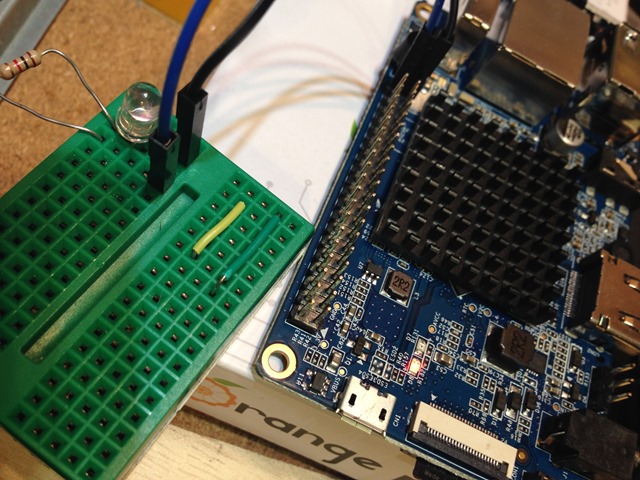
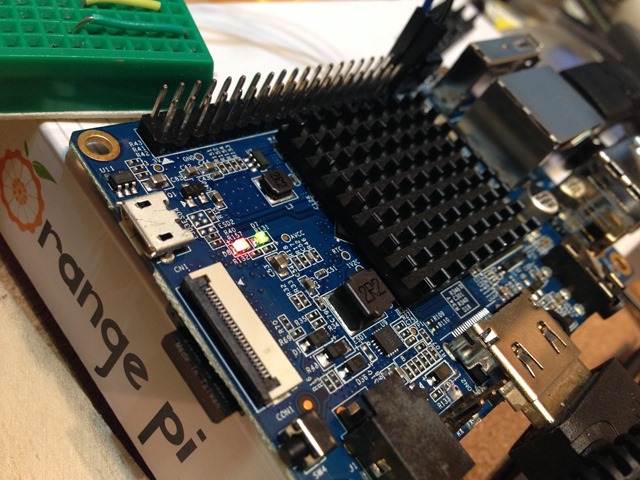
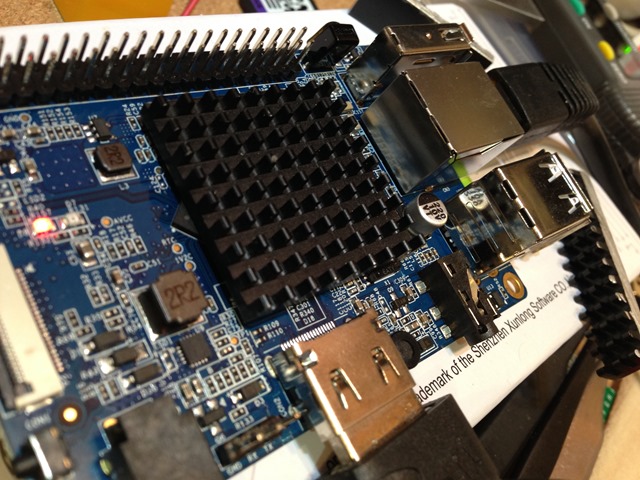
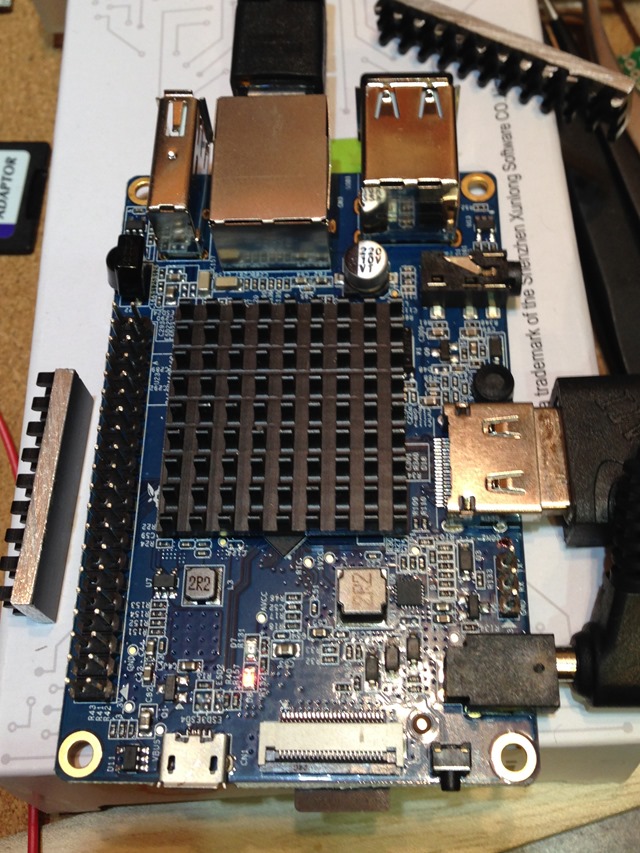
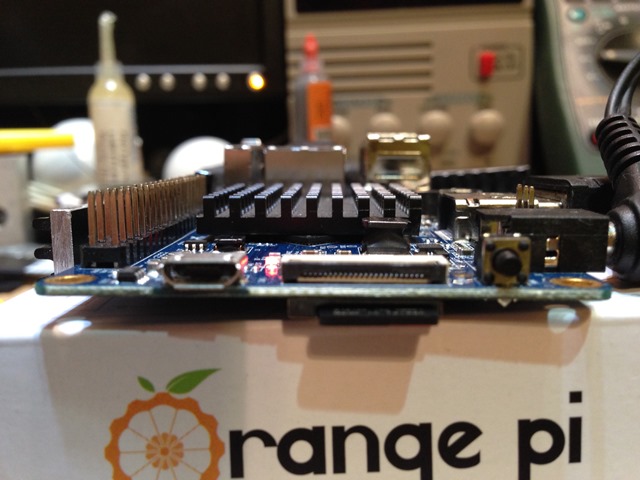 UnixBench を計測していたら、80度くらいまで上がったのですが、置いてみただけでも10度ちょい下がっている感じです。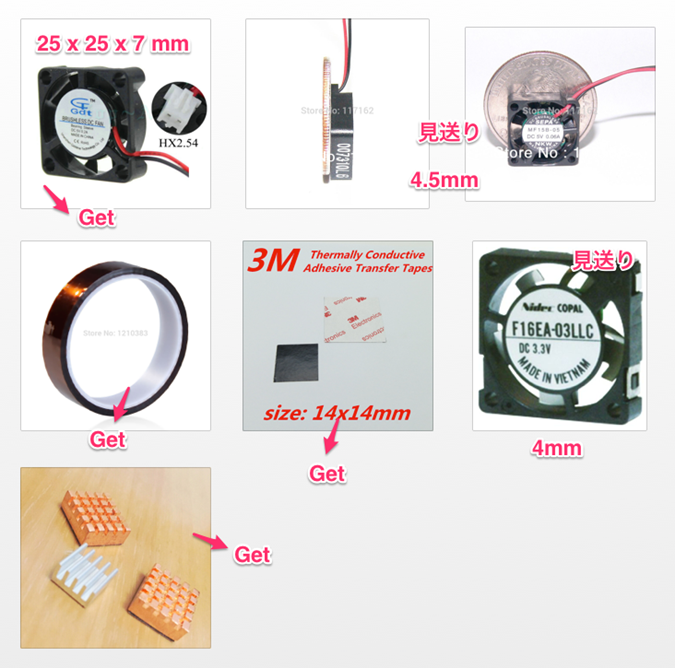
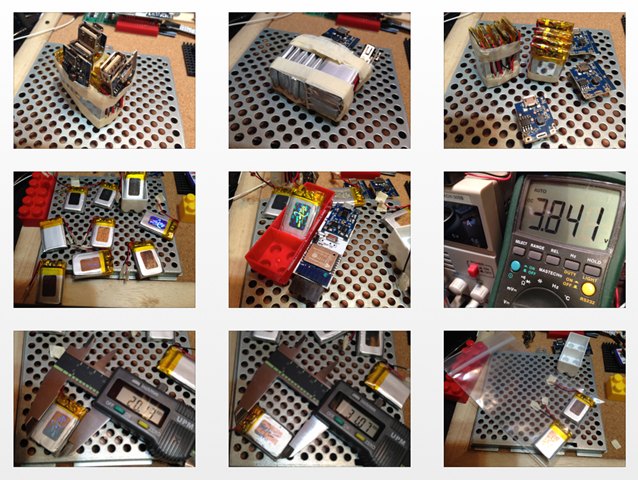 心配していたケースに収まるかどうかのぎりぎりのサイズでしたが、問題なく入りとりあえず安心。 BackBoost のESP8266 と組み合わせてお手軽サイズな気温観測&電流、電圧計測装置として使う予定です。